Rebuilding My Account for 10 travel sites

Sunweb Group, Frontend Developer, 2025–2026

Role
Main frontend developer on the new account area, in a team of up to six. Also ran the market-by-market rollouts.
Scope
10 sites, 2 brands and 7 countries, moved from Sitecore MVC to Next.js.
Designed
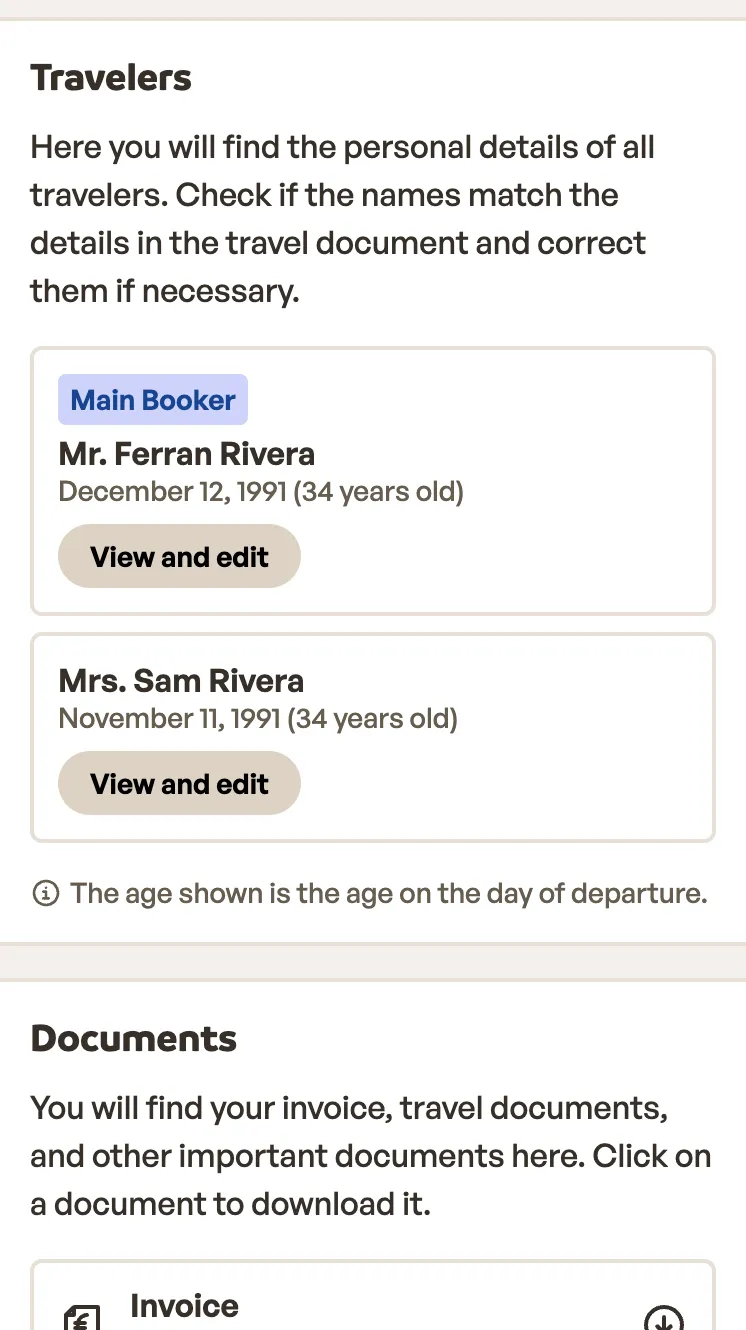
Booking details. Cut repeated and misplaced information, and redesigned flight information and traveller editing.
Result
UI changes ship on their own, on demand, instead of in the weekly Sitecore release. No big-bang launch.
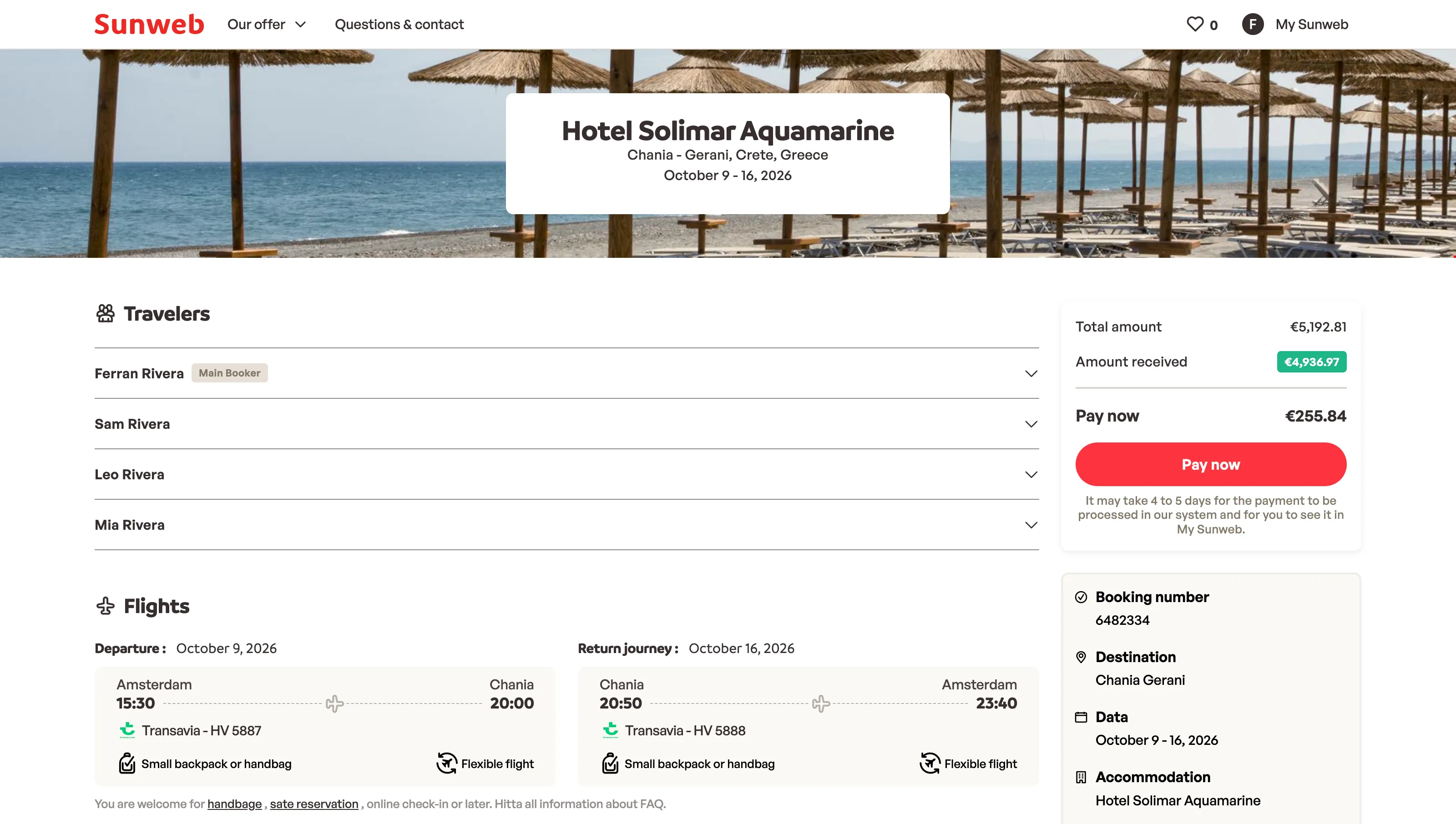
Old booking details page: hotel photo, a list of travellers to expand, one compact row per flight, and payment and booking summary on the side
Before: booking details on Sitecore, with travellers as a plain list and each flight squeezed into one row.
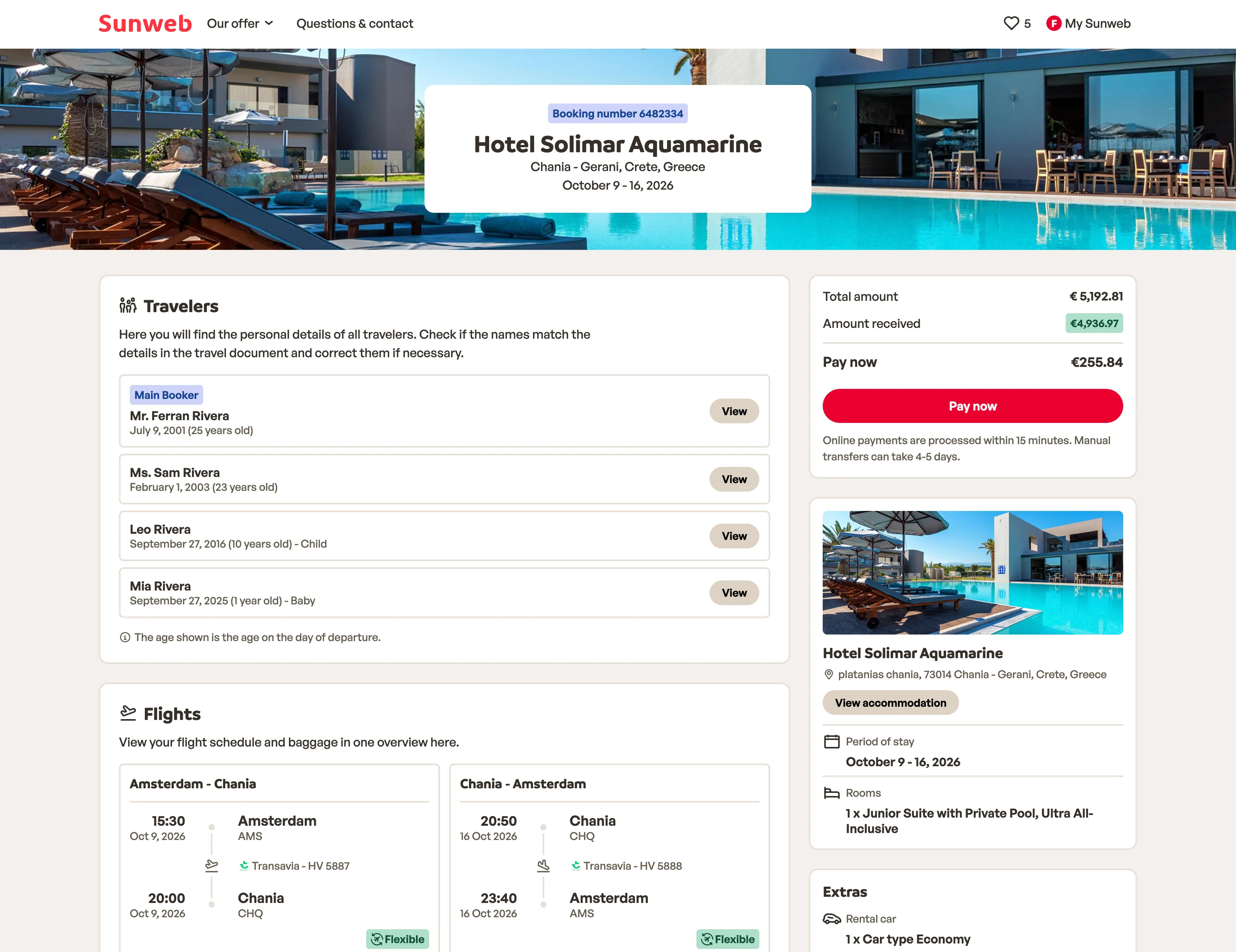
New booking details page: booking number above the hotel name, a travellers card with ages and a view button each, a card per flight direction, and payment and hotel cards on the side
After: each part of the booking in its own card, travellers with their age, and each flight with its times and airports.

The problem

After booking, customers come back to the account area to check their trip and make changes. It ran on Sitecore with ASP.NET MVC and Razor views. Even a change that only touched the UI went through two repositories, an extra integration step in Sitecore, and the weekly release.

StepBefore: Sitecore MVCAfter: Next.js
ChangeRazor views and styles, in the design system repoThe page, in the Next.js app
PackageAn npm package for styles and scripts, and a NuGet package for the Razor viewsNot needed
IntegratePull the new packages into the Sitecore solutionNot needed
ReleaseOnce a week, on a fixed dayWhen ready, usually two or three times a week
Go liveWith the releasePer market, with a feature flag
What shipping one UI change took, before and after.

How we moved

We replaced the account area step by step, so customers never saw one big switch.

  • Page by page. Simplest pages first, so we learned the new setup before the complex ones.
  • A bug bash first. Before booking details went live, the team tested it together. It found no showstoppers, and everything it found was fixed within a week.
  • Market by market. I ran the rollouts behind feature flags, starting with Belgium and ending with Eliza.
  • A way back. During the rollout, a banner let customers open the old version. It kept them covered if the new pages had a bug, and showed how the new design landed: fewer than 3 in 100 visits went back.
  • Eyes on every release. A New Relic dashboard tracked errors and Core Web Vitals for each market as it went live. It caught 500s from Sitecore endpoints that couldn’t resolve the site, and a big layout shift on the new booking details page. We fixed both.
  • A clean finish. Once every market was live, we removed the flags and the legacy routes.
  1. Marketing preferences

  2. Profile

    to

  3. Bookings overview

    to

  4. Booking details

    to

How the account area went live in 2026.

Booking details

Editing travellers without leaving the booking

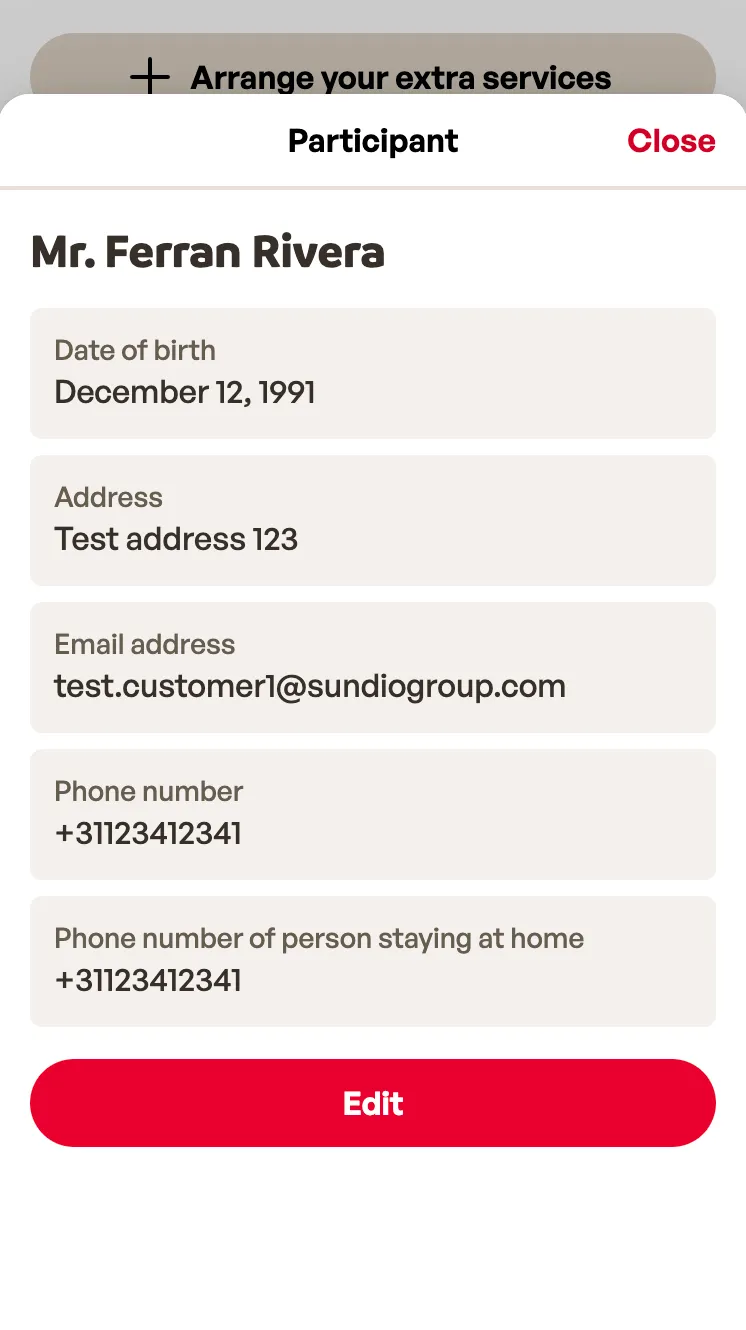
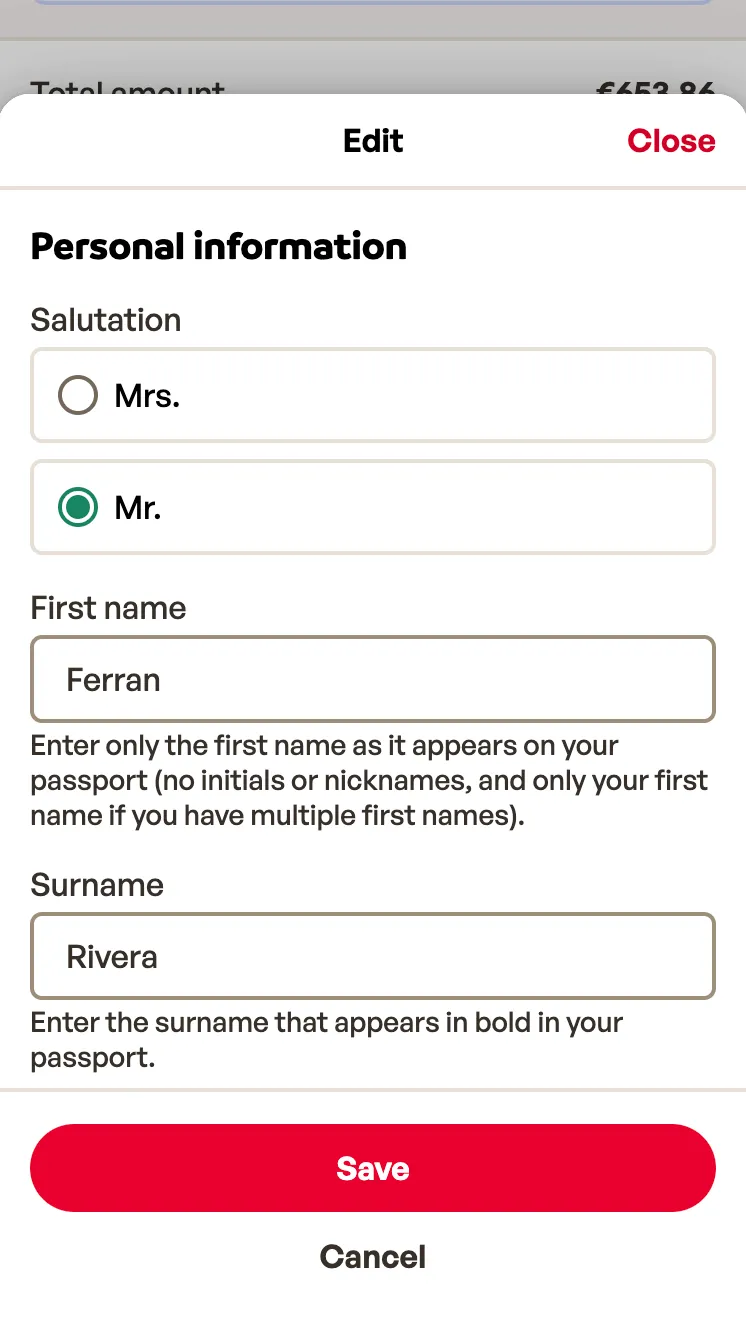
Editing a traveller used to be a separate page. I moved it into a sheet on booking details: one page fewer and several steps shorter. Fields that can’t be saved online become a request to customer service, sent from the same form.

Before

  1. Booking details
  2. Open the edit page
  3. Save
  4. Go back to the booking

After

  1. Booking details
  2. Edit in a sheet
  3. Save, still on the booking
Editing a traveller, before and after.
Booking details on a phone, with the travellers card and a View and edit button for each travellerSheet with one traveller’s date of birth, address, email and phone numbers, and an Edit buttonEdit form in the same sheet, with salutation, first name and surname, and Save and Cancel buttons
On a phone: the travellers card, a traveller’s details in a sheet, and the edit form, all on the booking.

Flight information

This is where I spent most of my time, because one booking can mix airlines, booking references and stopovers.

  • When travellers in one booking fly on different flights, each gets their own section.
  • Each direction says whether it’s direct or how many stopovers it has, with the waiting time between flights.
  • Each flight shows its booking reference, luggage, and the airline’s links for seats and check-in.
  • On a phone, outbound and return sit in tabs, one at a time.
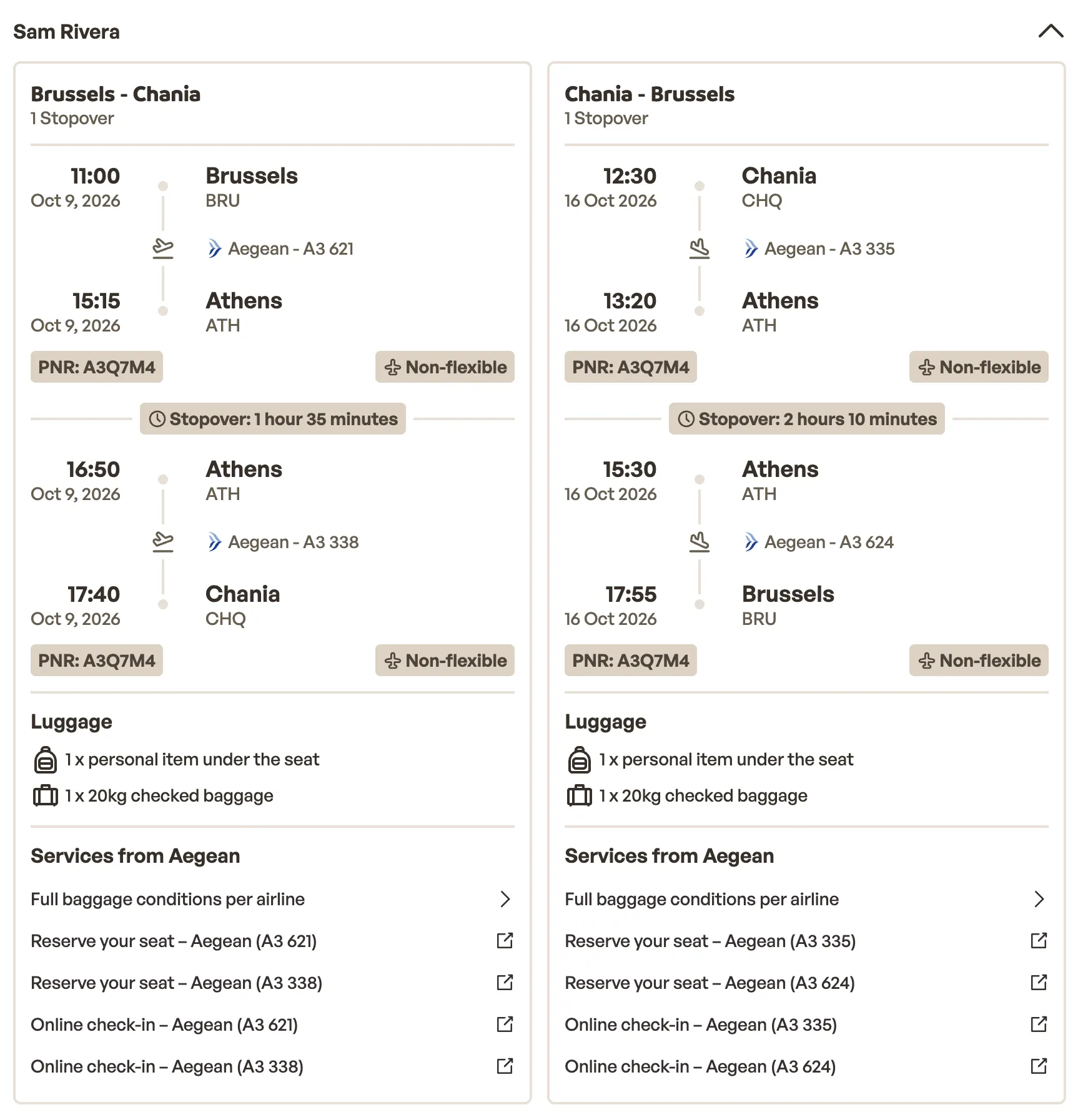
Flights for Sam Rivera: Brussels to Chania and back with Aegean, each with one stopover in Athens and its waiting time, luggage, and seat reservation and online check-in links per flight
A traveller on their own flights, with a stopover in Athens each way and seat and check-in links for every flight.

Changes happen in place

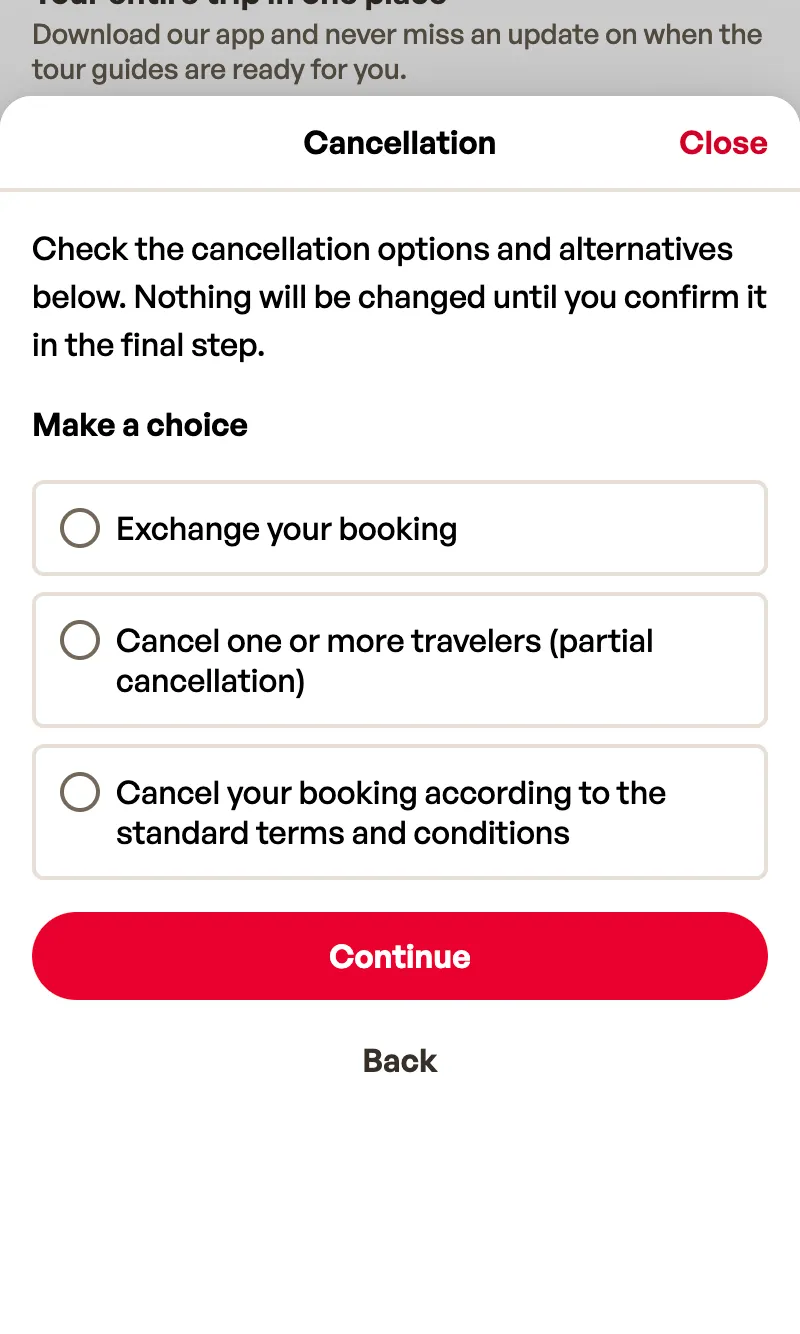
Preferences, luggage, cancelling and rebooking all open in a sheet over the booking, so every action works the same way.
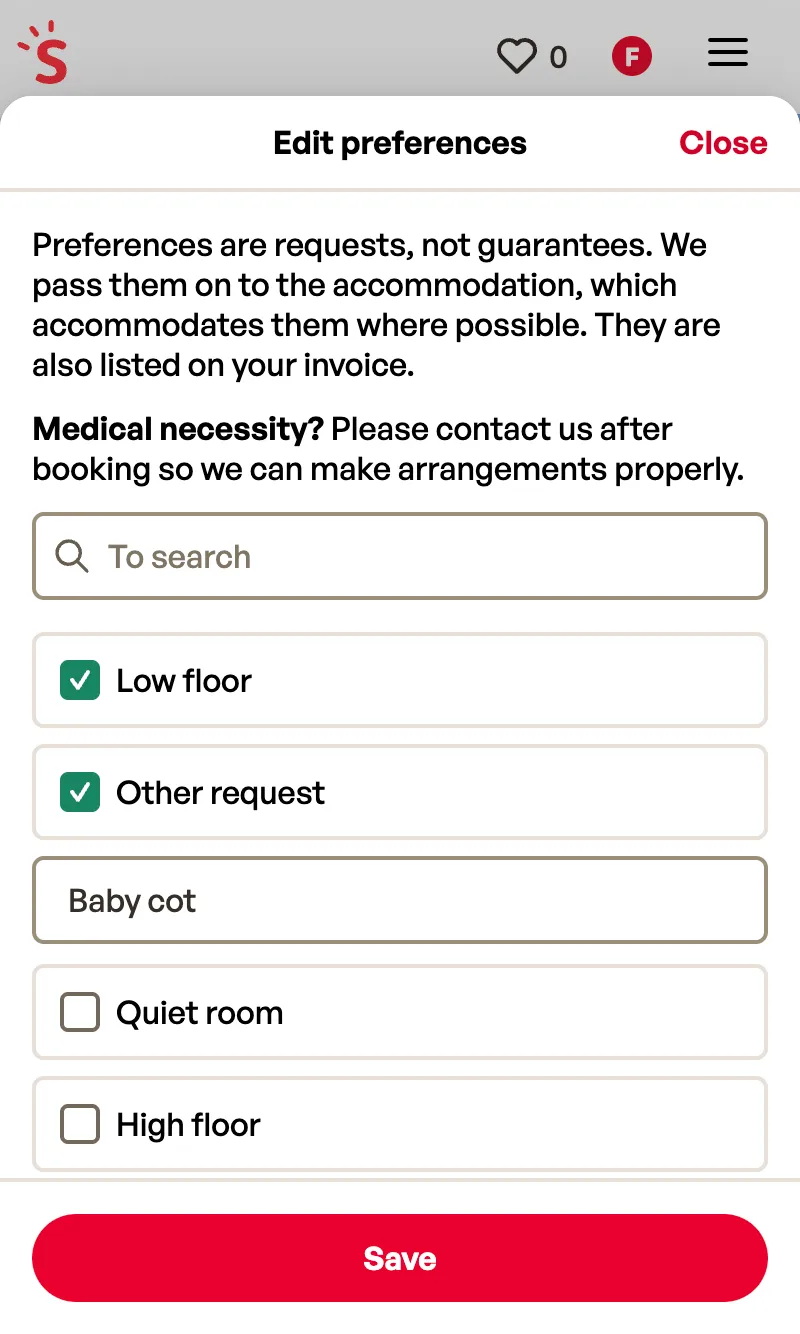
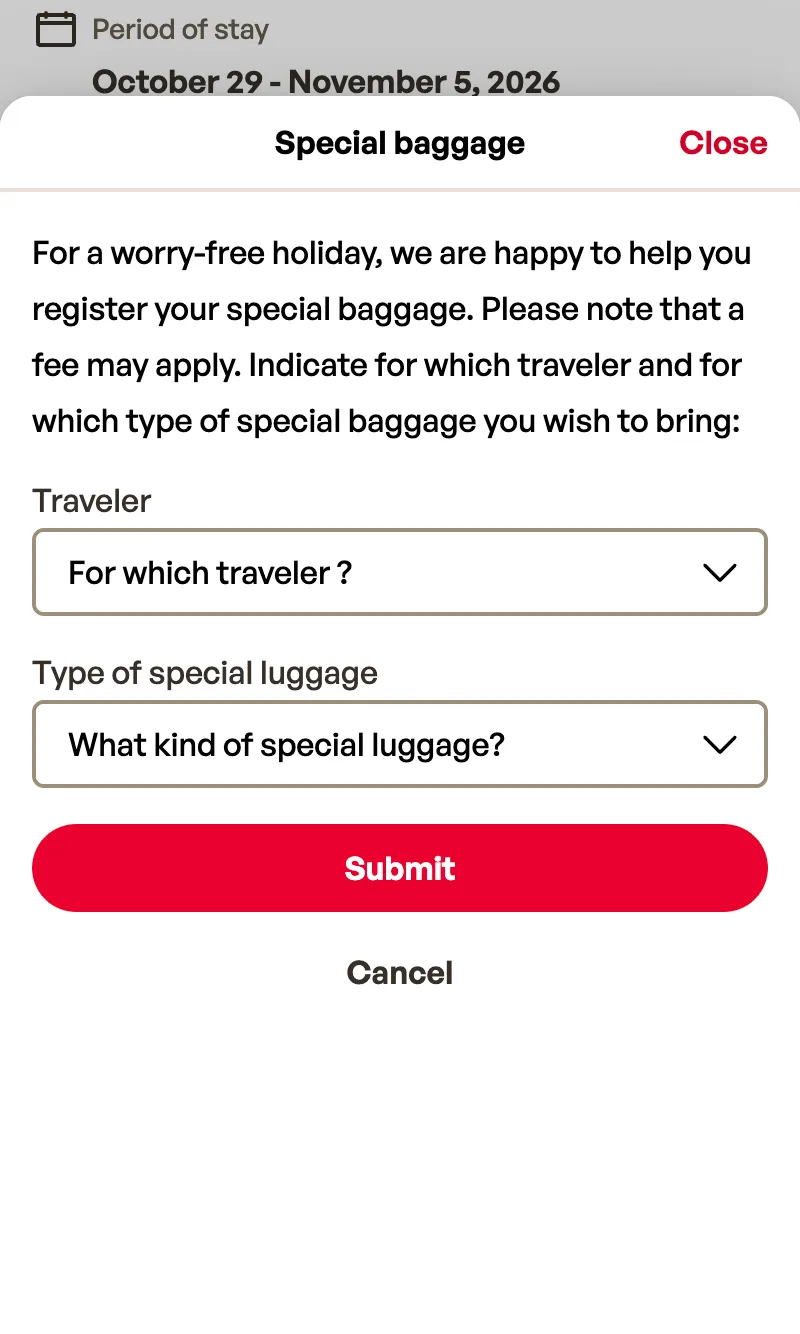
Edit preferences sheet with a search field and ticked requests such as low floor and a baby cot, and a Save buttonSpecial baggage sheet asking which traveller and what kind of luggage, with Submit and Cancel buttonsCancellation sheet with three choices: exchange the booking, cancel some travellers, or cancel the whole booking, and a Continue button
On a phone: preferences, special baggage and cancelling, each in a sheet over the booking.

Results

  • Live on 10 sites, 2 brands and 7 countries, with no big-bang launch.
  • UI changes ship on demand, usually two or three times a week, instead of in a fixed weekly release.
  • Editing a traveller no longer needs a separate page, and 96% of edits saved from the website go through.
  • The page no longer jumps while it loads: layout shift (CLS, 75th percentile) went from 0.12 on the old page to almost zero.

What I learned

  • Small markets first. Problems stayed small and were fixed before the next market.
  • Design for messy data. Most of the flight work was the edge cases.

Next case study

Redesigning the auth flow

Sunweb Group, 2026

Redesigned and rebuilt sign in, account creation, verification and password reset for Sunweb Group’s 10 sites, then released it through a 50/50 canary.

Get in touch