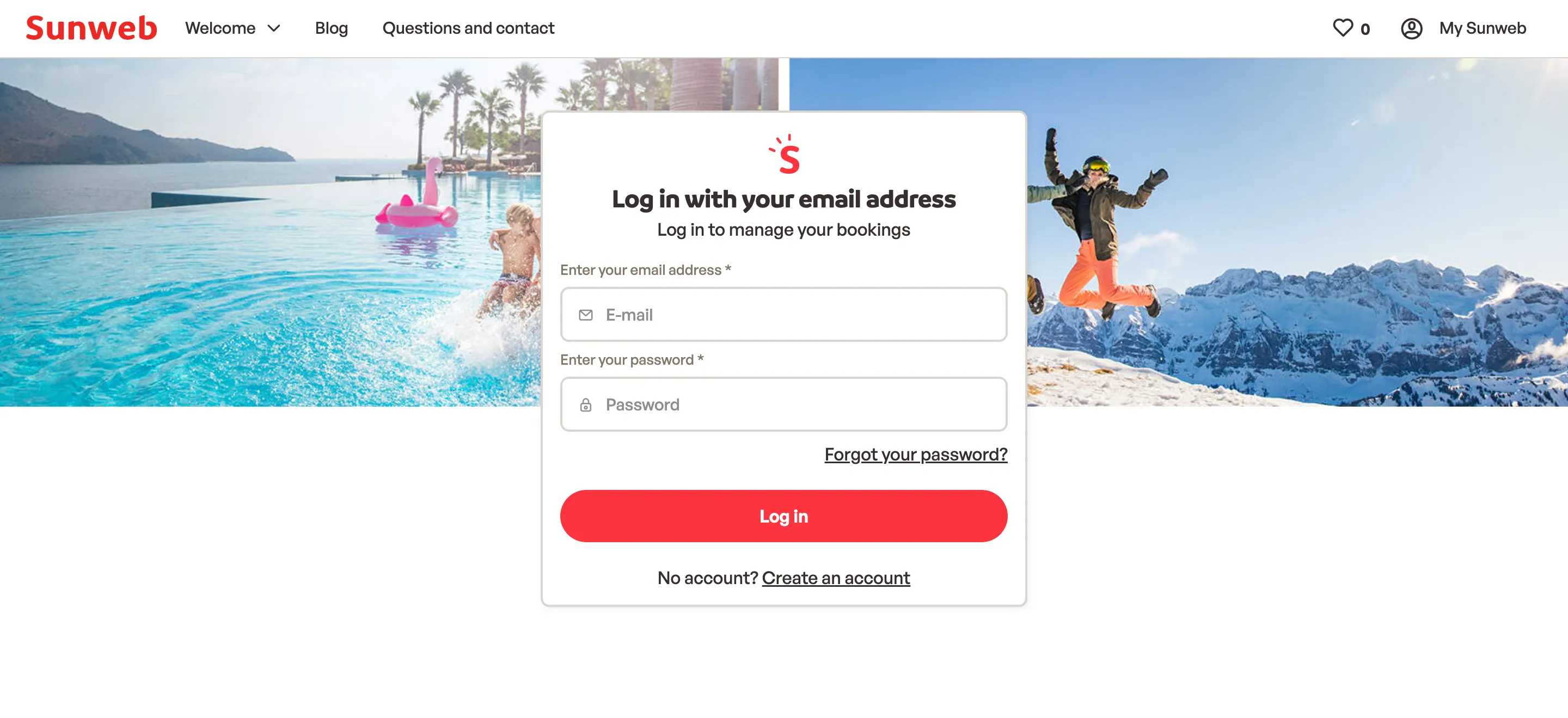
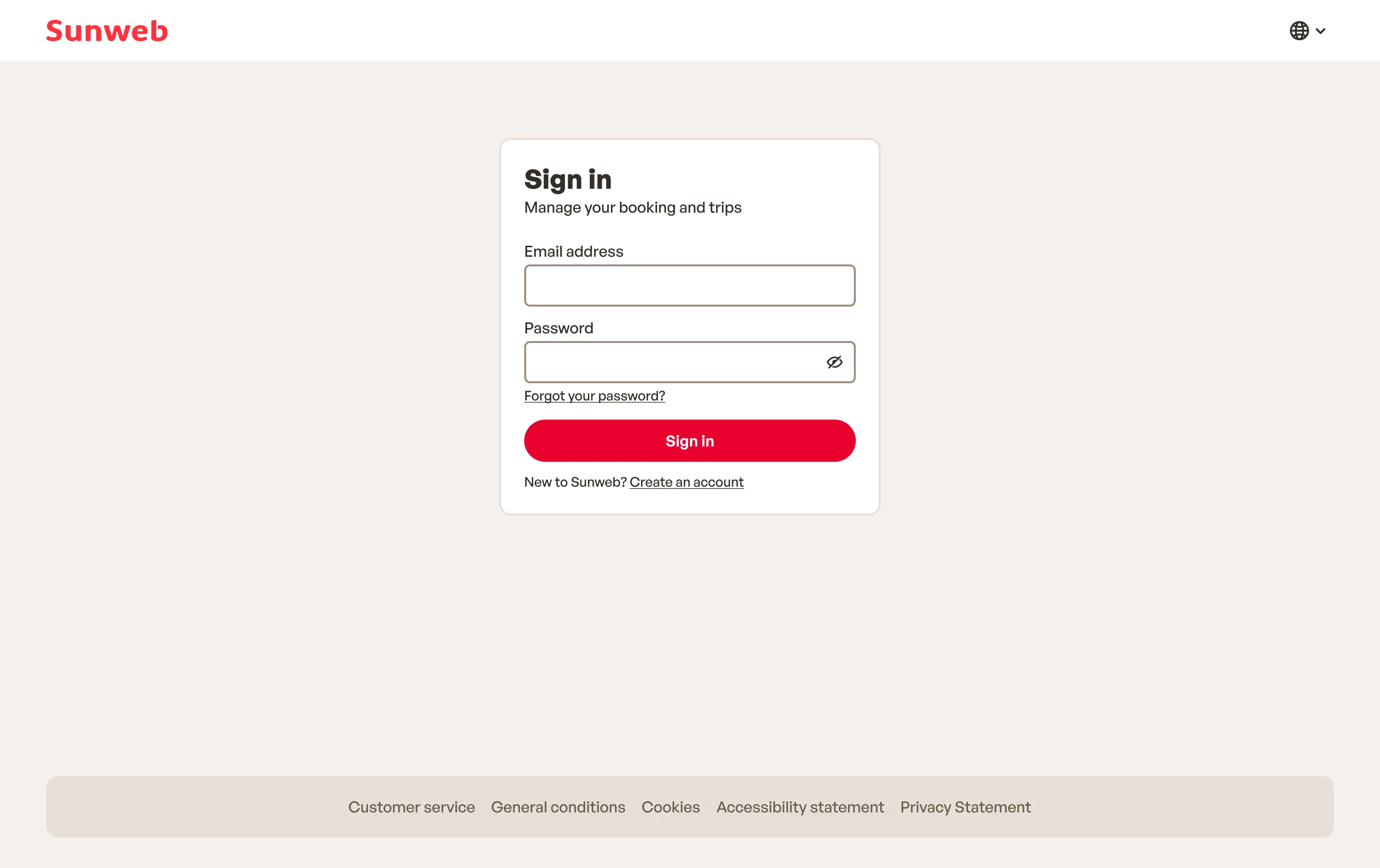
The problem
The old flow worked, but too much competed with the form for attention:
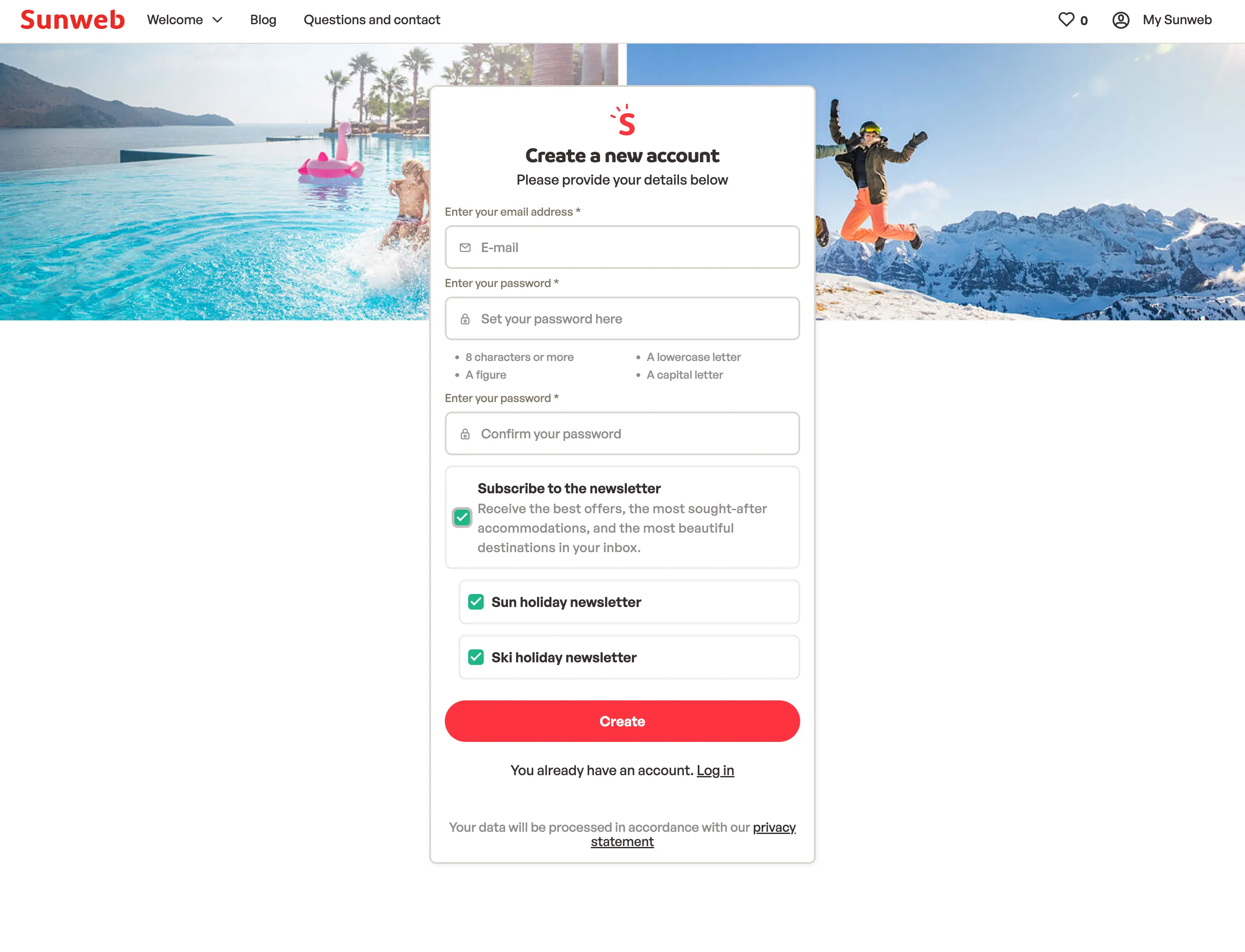
- A large photo, the full site menu, and a footer full of links and logos.
- Every field said what it was twice, above and inside.
- Create account asked for the password twice.
- It ran on Sitecore, so even a small change waited for the weekly release.
Design decisions
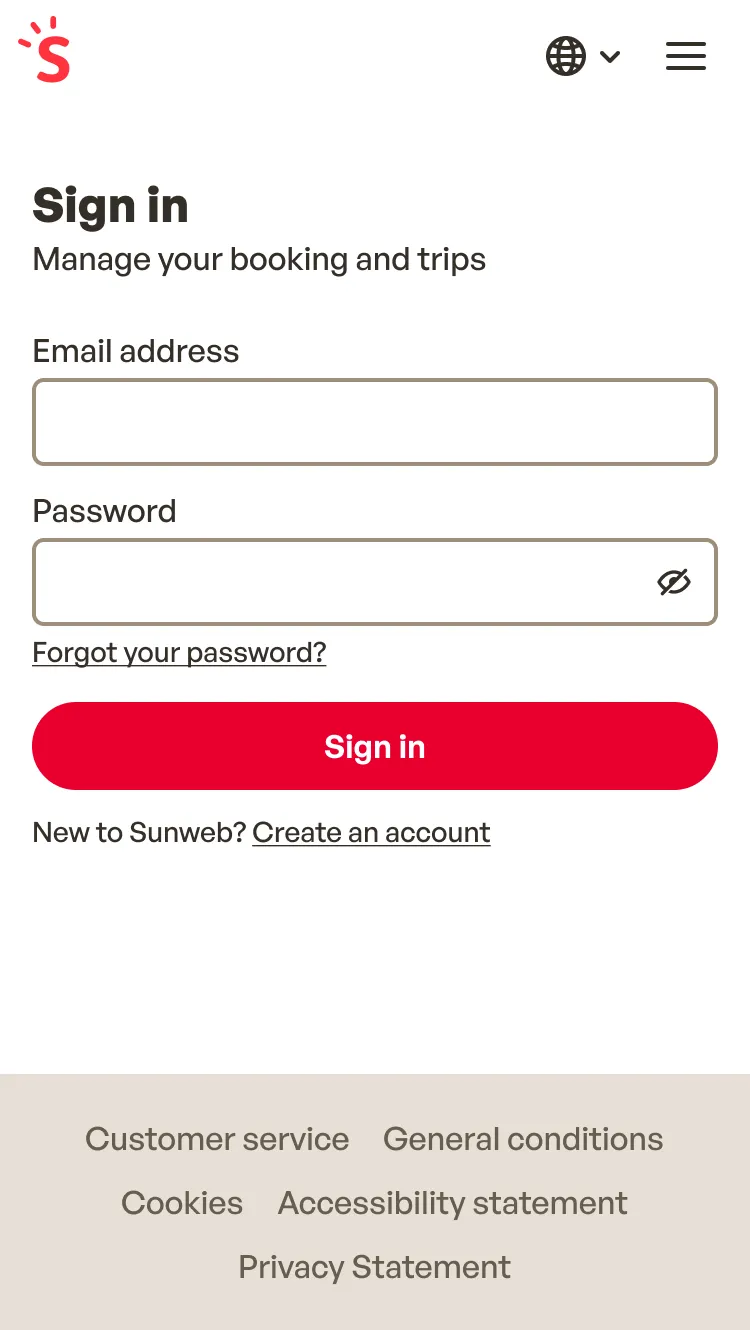
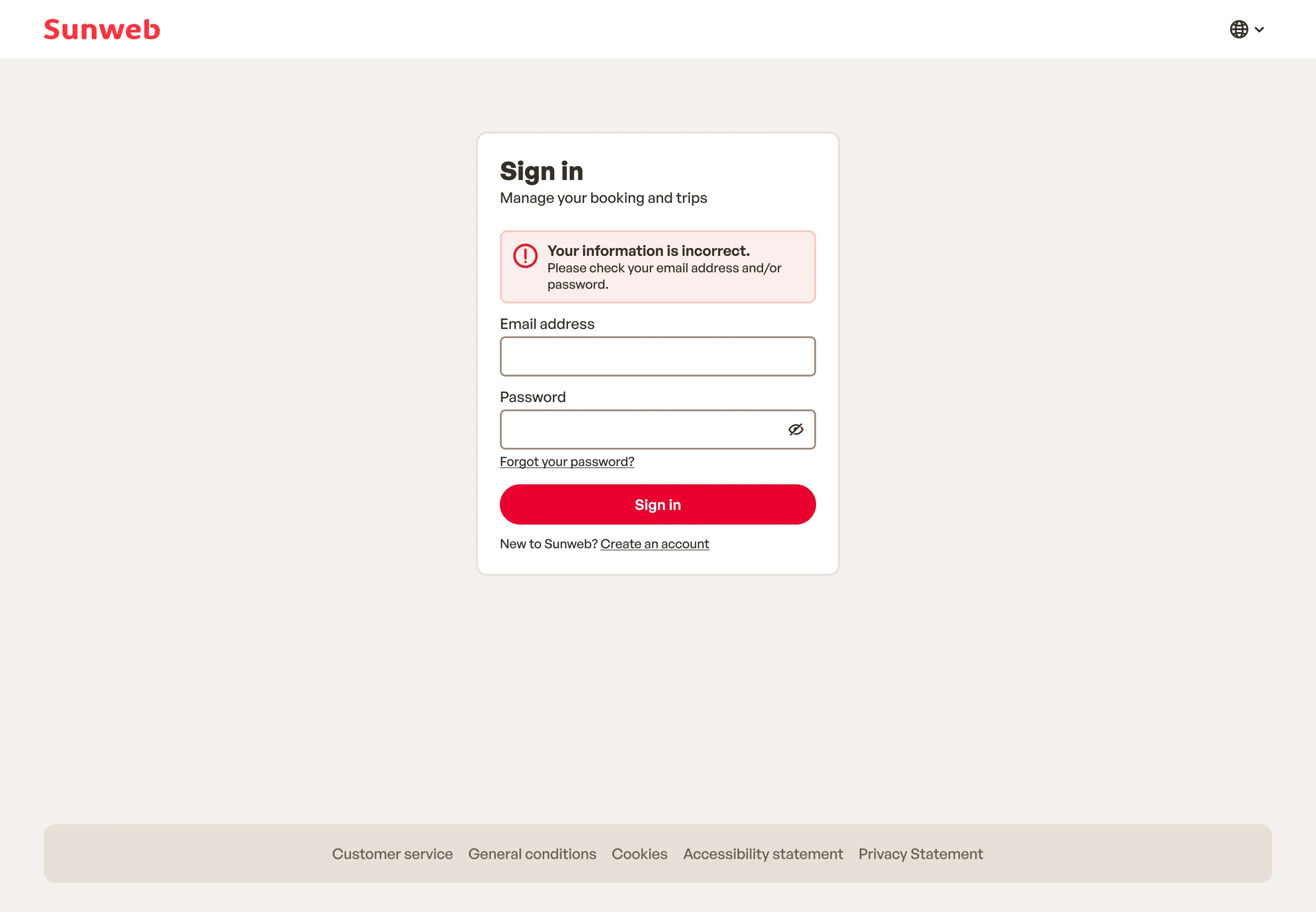
Only the form
I cut everything around the form to the bare minimum. The header is down to the logo and the footer to five links. No photo, and one short line on why to sign in.
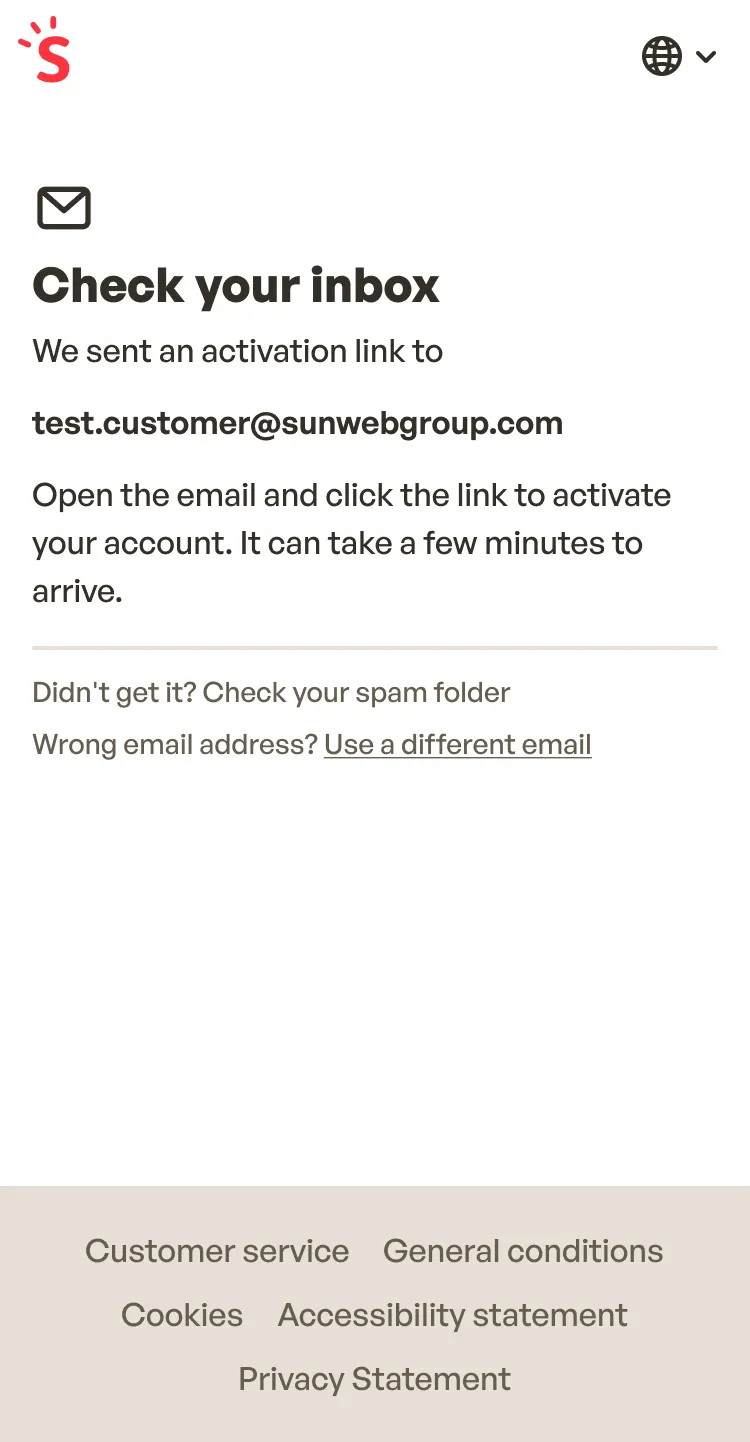
Short labels, nothing inside the field
Labels went from “Enter your email address” to “Email address”, and there’s no grey text inside the field repeating it.
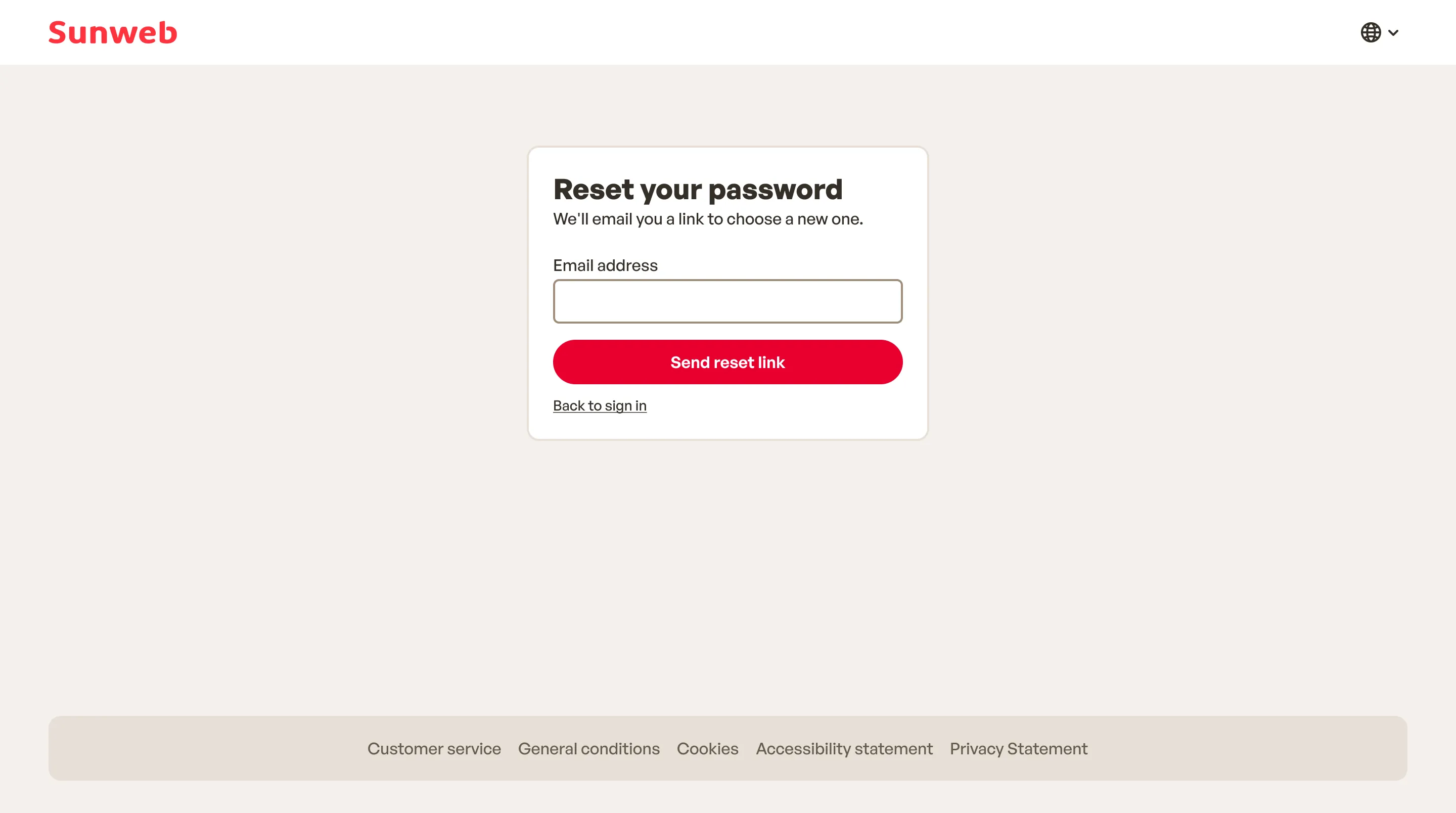
Accounts that link to bookings
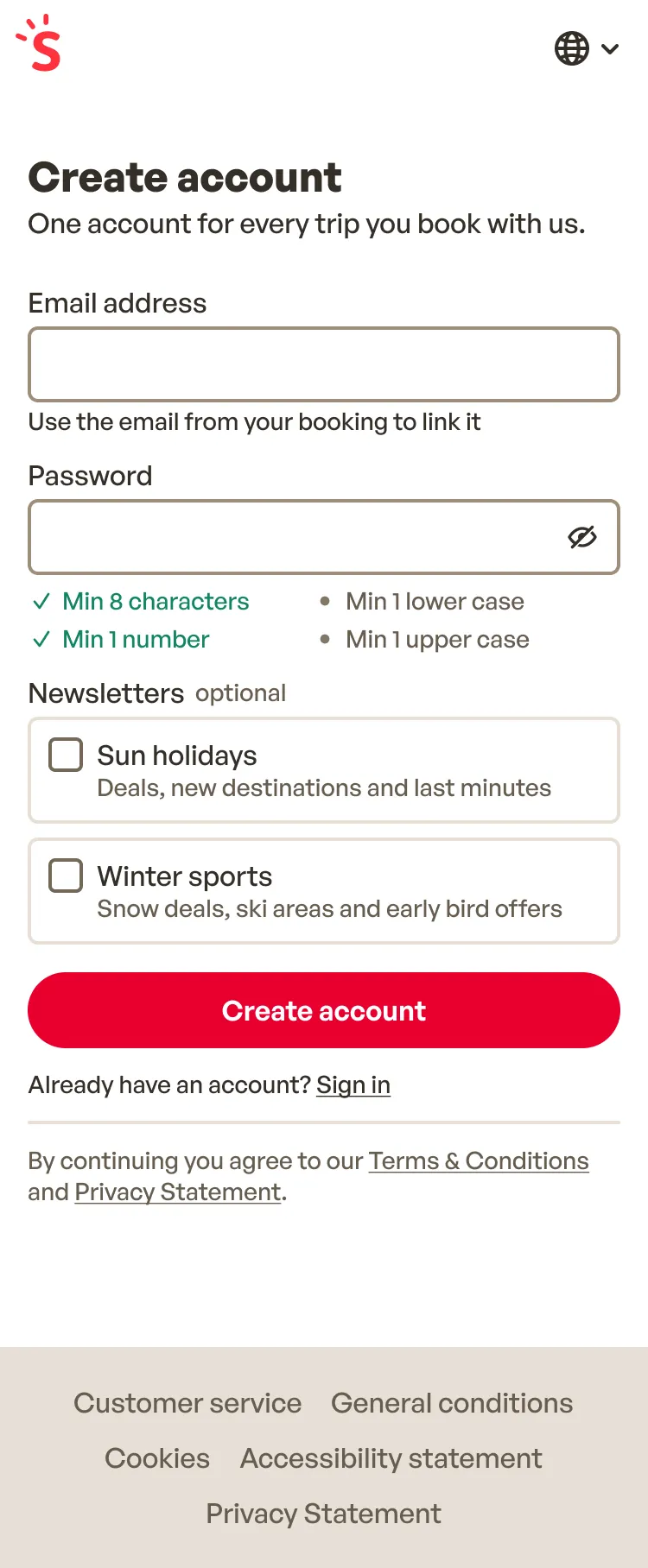
A hint under the email field asks for the address used to book, because that address is what links the account to existing bookings.
One password field
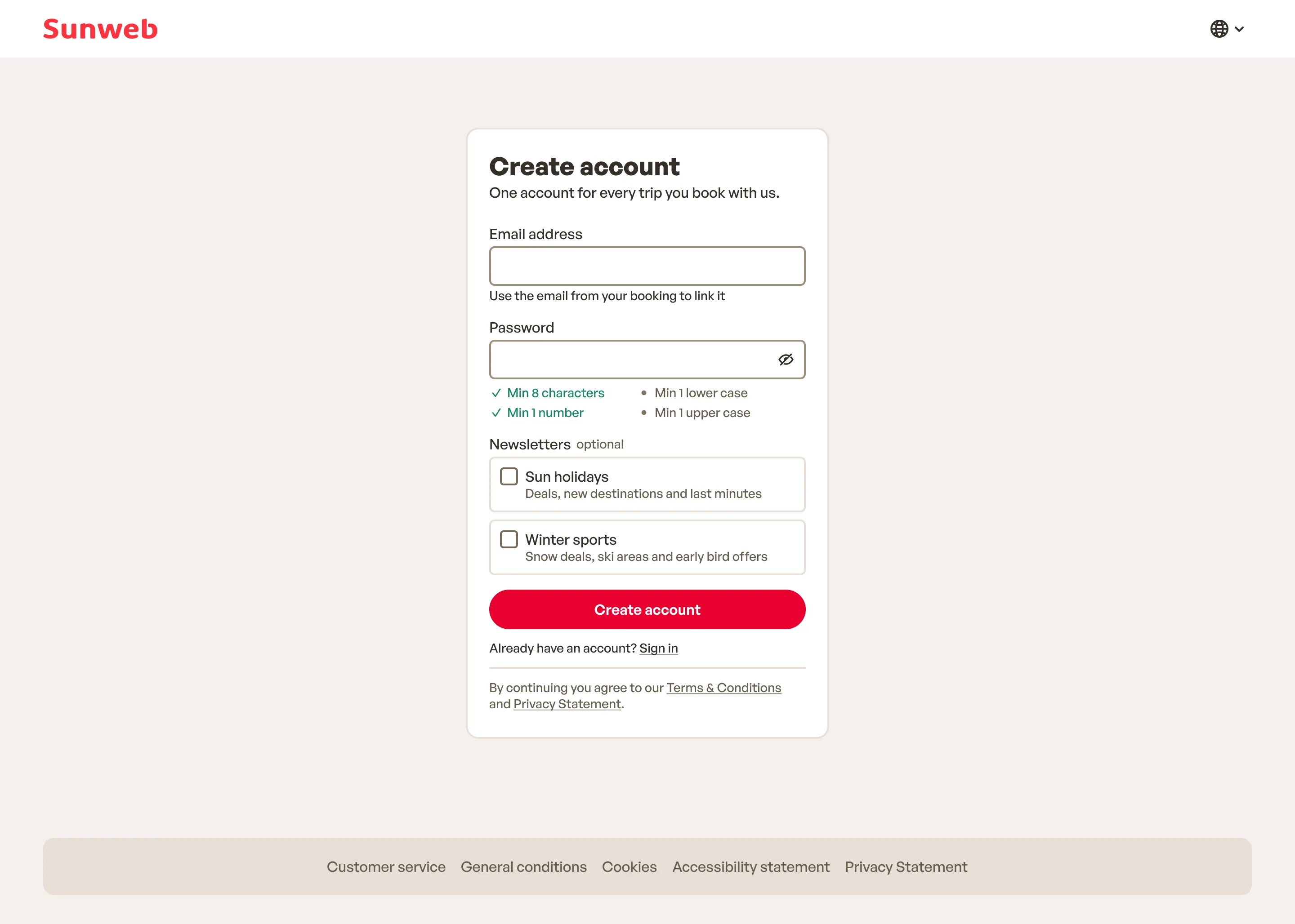
No confirm field. Typing the password twice adds friction and catches little: password managers and the browser fill it in for many people, and anyone typing it can check it with the show-password toggle. The rules tick off as you type.
Newsletters as a choice
Before, ticking “Subscribe to the newsletter” opened two more boxes, sun and ski holidays, both already ticked. One tick meant two subscriptions, and under GDPR a pre-ticked box doesn’t count as consent.
I removed the main checkbox. Sun holidays and winter sports are now two separate options, both optional and unticked, so each subscription is a choice someone makes.
Accessible by default
The old sign-in page had 30 accessibility issues in an automated axe scan, 13 of them critical: zooming was blocked, some buttons and links had no name a screen reader could read, text contrast was too low, and touch targets were too small. The new page has none in the same scan.
- Every screen is a real form, so pressing Enter submits it. Before, it didn’t.
- Fields tell the browser what they are, so password managers and autofill work.
- Loading and confirmation screens are announced to screen readers.
Secure without getting in the way
Security had to stay invisible to people signing in, and get in the way of anyone abusing the forms.
- Every form sends an anti-forgery token, so another site can’t submit it on someone’s behalf.
- An invisible reCAPTCHA stops bots, with no puzzle for people to solve.
- A wrong email and a wrong password get the same message, and reset password says the same thing either way, so the forms never reveal whether an email has an account.
- After too many attempts, sign-in pauses and says how long to wait.
- People only go back to addresses on the same site, so a crafted link can’t send them somewhere else.
No dead ends after the email
Create account and reset password both end with a link in an email. Before, opening it verified the account or saved the new password, and nothing confirmed it had worked. Now the link signs people in and takes them to their bookings, with a message saying what just happened.
When the link can’t do that, the page says why and what to do next: the account is already verified, the link has expired, or the account is verified but signing in failed.
Create account
- Enter details
- Check your inbox
- Open the link
- Signed in
- Already verified
- Link expired
- Verified, not signed in
Reset password
- Enter email
- Check your inbox
- Open the link
- Set password
- Signed in
- Link expired
Releasing it
The flow moved from Sitecore to the Next.js app, so it ships on demand like the rest of the account area.
The new page only sent people back to relative addresses, so a crafted link couldn’t redirect them to another site. The mobile app, though, signs people in on the website with an absolute return address. The canary is what caught it:
- The new flow went out as a canary release, to half of visitors on one of the 10 sites.
- The mobile app’s absolute return address was rejected, as the check intended.
- We switched everyone back to the old page.
- We changed the check to also accept absolute addresses on the site’s own domain.
- We moved everyone on that site to the new flow.
- Once it was stable, I monitored it and took it live on the other 9 sites.
Results
- Accessibility on the sign-in page: axe issues from 30 to 0, and the Lighthouse accessibility score from 72 to 100.
- Less friction to create an account: 3 text fields down to 2, with no password to type twice.
- Verifying an account or setting a password now signs people in, with a confirmation on their bookings page.
- Every email link outcome has its own screen and a next step.
- Each newsletter is its own unticked choice, instead of one tick for both.
What I learned
- Removing does most of the work. Most of the improvement came from taking things away, not adding them.
- Plan the unhappy paths early. Most screens in this flow are for something going wrong, so they shaped the design as much as the happy path.
- Before tightening a check, list who depends on it. The stricter return address check was right, but nobody had listed the mobile app. A small canary turned that into a quick rollback instead of a problem for every visitor.